DTF Gang Sheet Guide: How to Create and Order Custom Transfers
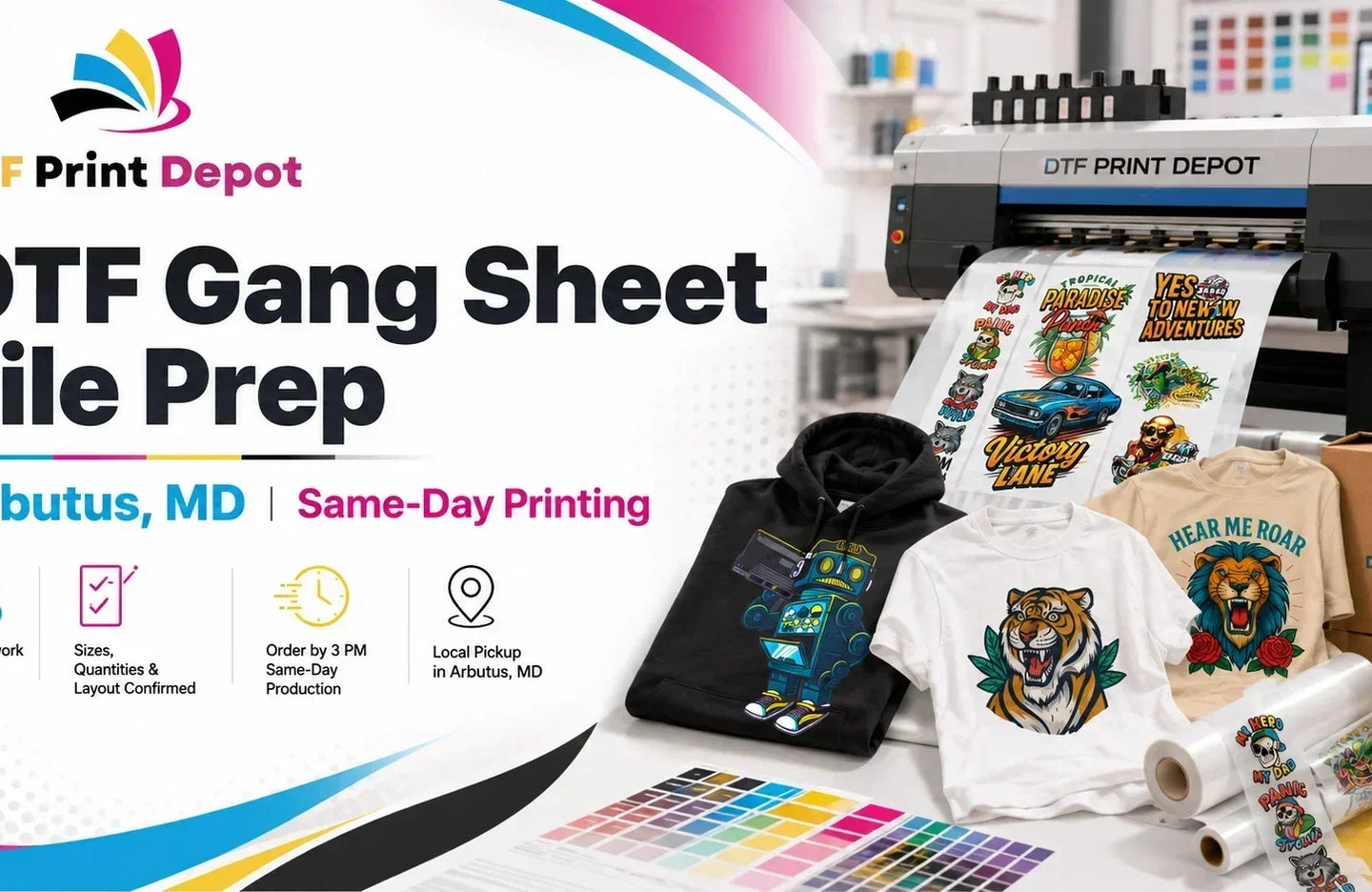
A DTF gang sheet allows you to arrange multiple logos, names, numbers, and full-color graphics on a single transfer sheet. Instead of ordering every design separately, you can combine different artworks and sizes in one organized layout.
This approach helps apparel businesses, clothing brands, print shops, schools, teams, and independent creators use available printing space efficiently. It can also reduce material waste and lower the average cost of each individual transfer.
In this guide, you will learn what DTF gang sheets are, how to prepare your artwork, how to build an optimized layout, and how to order professional custom DTF transfers from DTF Print Depot.
What Is a DTF Gang Sheet?
A DTF gang sheet is a large transfer film containing several individual designs arranged together in one print-ready layout. The designs are printed onto specialized film, covered with adhesive powder, cured, and prepared for application with a heat press.
Direct-to-film printing generally involves printing an image onto coated film and then transferring the finished design to fabric with heat and pressure. The process can reproduce full-color graphics, gradients, fine details, and white elements for both light and dark garments. You can learn more about the general process through this overview of direct-to-film printing.
With a gang sheet, the individual graphics do not have to be identical. A single sheet may include:
- Left-chest logos
- Full-front and full-back graphics
- Sleeve designs
- Team names and player numbers
- Brand labels
- Event artwork
- Small promotional graphics
- Multiple sizes of the same design
DTF Print Depot offers customizable 22-inch-wide gang sheets with multiple length options for small projects, repeat orders, and larger production runs. Customers who already have a finished layout can upload a print-ready file through the DTF gang sheet ordering page. :contentReference[oaicite:0]{index=0}
Why Use DTF Gang Sheets?
Gang sheets are especially useful when you need several transfers but do not want to order every artwork individually. A properly arranged layout can improve production efficiency while making better use of the available film.
1. Reduce Unused Print Space
Placing multiple designs close together helps reduce large blank areas on the sheet. Smaller graphics can be positioned between larger designs to make better use of the available width and length.
2. Lower the Cost Per Transfer
When several designs fit on one sheet, the total sheet cost is distributed across more transfers. This can make gang sheets a practical option for bulk orders, repeated logos, team apparel, merchandise collections, and small business production.
3. Combine Different Designs and Sizes
You can place several artwork styles and dimensions on one gang sheet. For example, one sheet could contain adult front designs, youth designs, sleeve logos, neck labels, and small promotional graphics.
4. Simplify Apparel Production
Once the gang sheet arrives, each design can be cut apart and organized for pressing. This gives print shops the flexibility to prepare transfers in advance and apply them when garments are ready.
5. Support Small and Large Orders
DTF gang sheets can be used for short production runs as well as larger apparel orders. They are particularly helpful when several garment styles or design variations are included in the same project.
Two Ways to Order a DTF Gang Sheet
There are two main ways to prepare your order through DTF Print Depot. The right option depends on whether you already have a completed gang sheet or need help arranging individual graphics.
Option 1: Upload a Print-Ready Gang Sheet
This option is suitable when you have already created the complete layout in software such as Adobe Illustrator, Photoshop, Canva, Affinity Designer, or another design program.
Your uploaded file should already contain every design at its final printing size. The artwork should be positioned, spaced, and ready for production before it is submitted.
Use the custom DTF gang sheet product when your full sheet is already arranged and print-ready.
Option 2: Use the Online Gang Sheet Builder
The online builder is useful when you have separate artwork files but have not yet created a complete layout. You can upload individual designs, resize them, duplicate them, and arrange them directly on the selected sheet.
The DTF Gang Sheet Builder supports layouts containing logos, graphics, names, numbers, and different artwork sizes. It is designed to help users organize multiple transfers while maximizing the available print area. :contentReference[oaicite:1]{index=1}
How to Create a DTF Gang Sheet
A successful gang sheet begins with properly prepared artwork. Follow these steps before submitting your order.
Step 1: Choose the Garments and Print Locations
Decide where each transfer will be placed before sizing your artwork. Common print locations include:
- Left chest
- Center chest
- Full front
- Full back
- Sleeve
- Neck label
- Pocket area
- Pant leg
- Tote bag center
The correct size depends on the garment, artwork proportions, intended placement, and customer preference. Measure the available print area instead of relying only on a general size chart.
Step 2: Prepare High-Quality Artwork
Use the highest-quality source file available. Vector artwork is often ideal because it can usually be resized without losing sharpness. High-resolution raster files can also produce professional results when they are created at the final printing dimensions.
Before uploading your artwork:
- Remove unwanted background areas.
- Use a transparent background when required.
- Check the edges for leftover white pixels.
- Confirm that small text remains readable.
- Review thin lines and tiny details.
- Make sure the artwork is not blurry or pixelated.
- Convert important text to outlines when preparing vector files.
Step 3: Set Every Design to Its Final Size
Each design must be sized according to its intended application. Do not assume that the printer will automatically resize your artwork.
For example, a left-chest logo and a full-back graphic require very different dimensions. Measure both the garment and the artwork before placing the designs on the sheet.
Step 4: Select the Gang Sheet Size
Choose a sheet length that provides enough room for all required designs. DTF Print Depot offers 22-inch-wide sheets with flexible length options, including layouts starting at 24 inches and extending to 120 inches or more. :contentReference[oaicite:2]{index=2}
Before selecting a larger sheet, estimate how many designs will fit at their actual dimensions. Choosing the correct sheet size helps avoid unnecessary empty space.
Step 5: Arrange the Largest Designs First
Place full-front and full-back graphics before adding smaller logos. Large artwork controls most of the layout, so positioning it first makes the remaining space easier to manage.
Try rotating rectangular or irregularly shaped designs when doing so creates a more efficient arrangement. Do not rotate artwork when the change could affect its intended orientation or readability.
Step 6: Fill Empty Areas with Smaller Graphics
After placing the largest designs, use the remaining spaces for:
- Sleeve logos
- Brand labels
- Small chest graphics
- Names and numbers
- Test designs
- Future repeat-order artwork
This is one of the most effective ways to maximize a custom DTF gang sheet.
Step 7: Leave Cutting Space Between Designs
Do not position artwork so closely that the designs become difficult to separate. Leave enough space to cut between transfers without damaging neighboring graphics.
Consistent spacing also makes the finished sheet easier to organize after cutting.
Step 8: Review the Complete Layout
Zoom in and inspect every design before placing the order. Check:
- Final width and height
- Image resolution
- Transparent backgrounds
- Spelling
- Names and numbers
- Artwork orientation
- Duplicate quantities
- Small details and fine text
- Spacing between transfers
- Unused areas of the sheet
A final review can prevent incorrect sizes, missing designs, and avoidable production delays.
How to Order a Custom DTF Gang Sheet
Once your artwork is prepared, the ordering process is straightforward.
- Visit the DTF gang sheet page or open the online gang sheet builder.
- Select the required sheet size.
- Upload your print-ready layout or individual artwork files.
- Arrange and resize the designs when using the builder.
- Review the artwork dimensions and quantities.
- Check that the layout remains within the printable area.
- Add the completed gang sheet to your cart.
- Review your order information before checkout.
DTF Print Depot prints uploaded gang sheet files according to the submitted layout. A print-ready upload should therefore be completely arranged, correctly sized, and ready for production. :contentReference[oaicite:3]{index=3}
How to Optimize a DTF Gang Sheet Layout
Layout optimization is about fitting more usable transfers onto the selected sheet without creating cutting or quality problems.
Group Similar Sizes Together
Arrange graphics of similar dimensions in rows or sections. This makes the layout easier to review and can simplify cutting and order organization.
Use Irregular Spaces Carefully
Curved, circular, and angled designs often create unused areas around their edges. Small logos and labels can sometimes fit into these spaces without affecting the cutting margin.
Duplicate Repeat Designs
Use the duplication function when multiple copies of the same logo are required. Confirm the total quantity before submitting the sheet.
Plan for Future Orders
When space remains after placing current-order designs, consider adding frequently requested logos or standard brand transfers that can be stored for future use.
Avoid Unnecessary Blank Areas
Check the top, bottom, and sides of the sheet for empty spaces. Moving or rotating appropriate designs may allow you to fit additional transfers without increasing the sheet length.
Common DTF Gang Sheet Mistakes
Uploading Low-Resolution Images
A small image enlarged beyond its original dimensions may appear pixelated. Use high-quality source artwork and inspect it at the intended print size.
Including a Solid Background by Mistake
A white or colored background included in the artwork may print as part of the transfer. Remove all unwanted background areas before uploading.
Using Incorrect Dimensions
A design that looks correct on a computer screen may still be too large or too small for the garment. Verify the physical dimensions rather than judging the artwork only by its on-screen appearance.
Placing Designs Too Close Together
Insufficient spacing can make the transfers difficult to cut apart. Leave a practical cutting margin between neighboring graphics.
Forgetting to Check Spelling
Review names, dates, numbers, and promotional wording carefully. The submitted artwork should be treated as the final production file.
Adding Extremely Small Details
Very fine lines and tiny detached elements may not transfer as reliably as larger, well-defined artwork. Increase delicate elements where possible and test complex designs before placing a large order.
Leaving Large Sections Empty
Unused space increases the average cost of each transfer. Add small repeat designs or reorganize the layout to improve sheet usage.
What Materials Work with DTF Transfers?
DTF transfers are commonly used on:
- Cotton
- Polyester
- Cotton-polyester blends
- Canvas
- Denim
- Fleece
- Performance apparel
- Tote bags
- Hoodies
- Workwear
DTF Print Depot states that its custom transfers are suitable for cotton, polyester, and blended fabrics while supporting vivid colors, bright whites, gradients, and detailed artwork. :contentReference[oaicite:4]{index=4}
Always confirm that the selected garment can tolerate the required pressing conditions. Test unfamiliar fabrics, specialty coatings, and heat-sensitive materials before beginning a full production run.
How to Apply Transfers from a Gang Sheet
After receiving the gang sheet, cut the individual transfers apart while leaving the printed film intact around each design.
- Prepare and inspect the garment.
- Pre-press when recommended to remove moisture and wrinkles.
- Position the transfer with the printed side against the fabric.
- Follow the supplied temperature, time, and pressure instructions.
- Peel the carrier film according to the recommended peel method.
- Complete a finishing press when instructed.
Pressing instructions can vary according to the transfer, garment, film, adhesive, and heat press. Follow the instructions supplied with your order rather than using one universal setting for every application.
Who Should Use DTF Gang Sheets?
Custom gang sheets can support many types of apparel and merchandise projects, including:
- Custom T-shirt businesses
- Online clothing brands
- Local print shops
- Schools and universities
- Sports teams
- Corporate uniform suppliers
- Event merchandise sellers
- Fundraising organizations
- Craft businesses
- Promotional product companies
They are particularly helpful for businesses that regularly need several designs, multiple sizes, or repeat quantities.
Print-Ready Gang Sheet vs. Gang Sheet Builder
| Feature | Print-Ready Upload | Online Gang Sheet Builder |
|---|---|---|
| Best for | Customers with a completed layout | Customers with separate artwork files |
| Layout creation | Completed before upload | Completed inside the online builder |
| Resizing | Handled in design software | Handled through the builder |
| Design duplication | Completed before upload | Can be completed while arranging the sheet |
| Required experience | Suitable for users familiar with design software | Suitable for a simplified drag-and-drop workflow |
Frequently Asked Questions
What is a DTF gang sheet?
A DTF gang sheet is a large transfer film containing multiple designs arranged within one print-ready layout. The individual designs can be cut apart and applied separately to garments with a heat press.
Can I place different designs on one gang sheet?
Yes. A custom gang sheet can include different logos, graphics, names, numbers, and artwork sizes, provided they fit within the selected sheet dimensions.
Do all designs need to be the same size?
No. You can combine large front graphics, smaller chest logos, sleeve designs, neck labels, and other dimensions on the same sheet.
Can I upload individual designs instead of a completed sheet?
Yes. The DTF Gang Sheet Builder allows you to upload and arrange individual graphics within the selected layout.
What file quality should I use?
Use clear, high-resolution artwork at the final printing size. Transparent-background files and properly prepared vector artwork are generally suitable for detailed custom transfers.
Does my gang sheet need a transparent background?
Artwork normally requires a transparent background unless a printed background is intentionally part of the design. Remove unwanted white or colored background areas before submitting the file.
How much space should I leave between designs?
Leave enough space to cut each transfer without touching or damaging neighboring artwork. The exact spacing can depend on your cutting method and the complexity of the design edges.
Do I need to mirror my artwork?
Follow the ordering instructions shown on the selected product or builder page. Do not mirror or modify the final layout unless the submission instructions specifically require it.
Can I save unused DTF transfers for later?
Cured DTF transfers can generally be stored before application. Keep them flat in a clean, dry location and protect them from excessive humidity, heat, dust, and direct sunlight.
Where can I order custom DTF gang sheets?
You can order print-ready gang sheets, build a custom layout, and explore additional transfer options through DTF Print Depot.
Create Your Custom DTF Gang Sheet
A well-organized DTF gang sheet can help you combine multiple designs, reduce unused print space, simplify apparel production, and prepare professional transfers for a wide range of garments.
Upload a completed layout through the DTF Gang Sheet product page, or arrange individual artwork files with the DTF Gang Sheet Builder.
Order Professional Custom Transfers
Explore high-quality transfer options for custom apparel, clothing brands, teams, events, and print businesses.