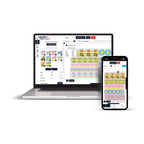
Glitter DTF Transfers Gang Sheet Builder lets you upload, resize, duplicate, and arrange multiple designs on one gang sheet for specialty glitter DTF transfer production. Build your layout online around the transfer sizes and quantities you need, review the complete sheet, and prepare your artwork for printing without creating the entire gang sheet manually in separate design software.
The builder can be useful for apparel brands, print shops, small businesses, teams, event merchandise, personalized clothing, and other projects that need multiple glitter-effect graphics within one organized production layout.
Build Glitter DTF Transfers Online
A gang sheet combines multiple graphics within one printable layout. With the Glitter DTF Transfers Gang Sheet Builder, you can organize different designs and sizes according to the requirements of your apparel project.
You can use the layout for artwork such as:
- Left-chest logos
- Full-front graphics
- Full-back designs
- Sleeve artwork
- Names and numbers
- Fashion graphics
- Event merchandise designs
- Repeated logos or artwork
How to Use the Glitter DTF Gang Sheet Builder
Plan your transfer dimensions and quantities before arranging the sheet. Knowing the finished size of each design helps you create a layout around the actual apparel project rather than estimating sizes after the artwork has been positioned.
- Choose your gang sheet size: Select the available sheet dimensions that fit your project.
- Upload your artwork: Add your prepared design files to the online builder.
- Set the design size: Adjust each graphic according to its intended finished transfer dimensions.
- Arrange your artwork: Position designs within the available print area.
- Duplicate repeated designs: Add the number of copies required for your project.
- Check the complete layout: Review dimensions, orientation, spacing, artwork, and quantities.
- Submit your gang sheet: Complete the layout once everything has been reviewed.
Prepare Your Artwork Before Building
Start with clean, high-resolution artwork. The current builder instructions recommend preparing transparent artwork at 300 DPI before uploading it to the layout.
Artwork Checklist
- Prepare high-resolution artwork.
- Use a transparent background when required.
- Confirm the intended finished transfer size.
- Check spelling in names, numbers, and text.
- Review artwork orientation.
- Confirm how many copies of each design are required.
- Inspect the complete gang sheet before submitting it.
Arrange Multiple Glitter DTF Designs on One Sheet
One of the main reasons to use a gang sheet builder is the ability to combine different graphics within the same layout. An apparel project may require a small chest logo, a larger back design, sleeve artwork, names, numbers, or multiple copies of the same graphic.
Instead of treating each transfer as an unrelated design file, you can organize them around the quantities and dimensions needed for the complete project.
Example Glitter DTF Gang Sheet
A custom apparel project could include:
- 12 small front logos
- 12 larger back graphics
- 6 names or personalized designs
- Several additional logos for replacement garments
The builder allows these graphics to be positioned together when they fit within the selected gang sheet dimensions.
Duplicate Repeated Designs
If you need several copies of the same logo or graphic, duplication can make the layout process easier. Set the intended size first, then repeat the artwork according to the quantity required for the apparel order.
This can be useful for branded clothing, team apparel, merchandise, recurring logos, and other projects where the same design is applied to multiple garments.
Plan Your Gang Sheet Around Transfer Size
Transfer dimensions affect how many graphics can fit on a gang sheet. Small logos require less space than large front or back graphics, so the number of transfers that fit will vary from project to project.
Before building the layout, record the finished width and height required for each design. This helps prevent accidentally creating inconsistent transfer sizes across garments that are intended to share the same branding.
For more general transfer options, explore the DTF Transfers collection.
Why Use a Glitter DTF Transfers Gang Sheet Builder?
The builder provides an online workspace for organizing specialty glitter transfer artwork before production. It is particularly useful when a project contains multiple designs, transfer sizes, or quantities.
- Arrange multiple designs on one gang sheet.
- Combine different transfer sizes.
- Duplicate repeated graphics.
- Organize artwork around actual quantities.
- Review the complete layout before submission.
- Keep related apparel graphics together.
- Prepare specialty glitter transfer projects online.
Build Your Glitter DTF Gang Sheet
Upload your artwork, set the required sizes, arrange your designs, and review your custom glitter transfer layout online.
Explore Special DTF TransfersGlitter DTF Transfers for Different Apparel Projects
A glitter finish can be considered when the visual effect is part of the apparel concept. The gang sheet format allows related artwork to be organized together while still accommodating different design dimensions.
Potential applications include:
- Fashion and streetwear
- Dance and performance apparel
- Event merchandise
- Personalized clothing
- Team apparel
- Decorative graphics
- Branded merchandise
Glitter DTF Gang Sheets vs. Standard DTF Transfers
The main distinction is the intended visual finish. Standard DTF transfers are appropriate when a conventional DTF appearance is required, while glitter DTF transfers are intended for projects where a sparkling specialty effect is part of the design concept.
If you are comparing standard transfer options with specialty finishes, browse the DTF Transfers selection or explore Special DTF Transfers.
Review Your Gang Sheet Before Ordering
A final review is important before submitting the layout. Check the entire sheet rather than reviewing only individual graphics.
Final Gang Sheet Checklist
- Are all required designs included?
- Are the finished transfer dimensions correct?
- Are repeated designs included in the correct quantities?
- Is all text spelled correctly?
- Are designs positioned within the available print area?
- Are the graphics oriented correctly?
- Have you reviewed the complete sheet before submission?
Save Your Layout Details for Future Orders
If you may need the same apparel again, keep a record of the approved artwork and production specifications. This can make future gang sheet planning more consistent.
- Approved artwork version
- Finished transfer dimensions
- Quantity of each graphic
- Gang sheet size
- Front, back, sleeve, or other placement
- Project or garment reference
Frequently Asked Questions About Glitter DTF Transfers Gang Sheet Builder
What is a Glitter DTF Transfers Gang Sheet Builder?
It is an online layout tool that allows multiple designs to be uploaded, sized, duplicated, and arranged on one gang sheet for glitter DTF transfer production.
Can I put multiple designs on one glitter DTF gang sheet?
Yes. Different graphics can be arranged together when they fit within the dimensions of the selected gang sheet.
Can I use different transfer sizes on the same gang sheet?
Yes. Different design sizes can share one layout as long as each graphic is set to its intended finished dimensions and fits within the available sheet area.
Can I duplicate the same glitter DTF design?
Yes. Repeated graphics can be duplicated according to the quantity required for your apparel project.
What resolution should my artwork be?
The current builder instructions recommend high-resolution artwork prepared at 300 DPI.
Should my artwork have a transparent background?
Use a transparent background when the artwork requires the surrounding area to remain free of unwanted background graphics.
How many designs can fit on a glitter DTF gang sheet?
The number varies according to the selected sheet dimensions, individual transfer sizes, quantities, orientation, and the way the artwork is arranged.
Build Your Custom Glitter DTF Transfer Layout
Start by preparing your artwork, finished transfer dimensions, and required quantities. Then use the Glitter DTF Transfers Gang Sheet Builder to arrange the designs into one organized layout and review the complete sheet before submitting your project.
For additional options, visit Special DTF Transfers or browse the full DTF Transfers collection.