For print shops producing their own DTF transfers, powder selection and handling are important parts of building a consistent workflow. Coverage, curing, storage, and compatibility with the rest of the DTF production system should all be considered before starting a production run.
What Does DTF Transfer Powder Do?
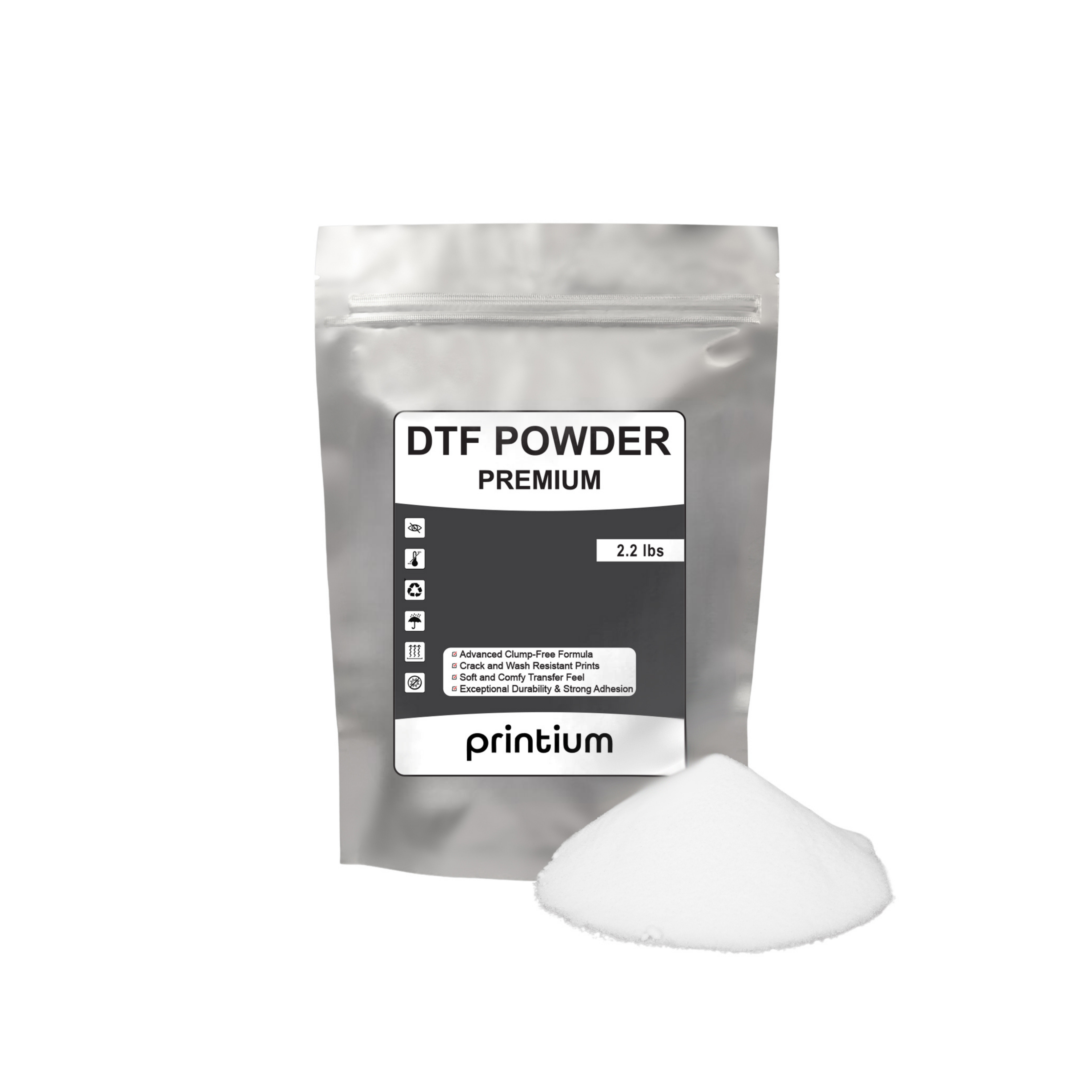
DTF transfer powder creates the adhesive layer between the printed transfer and the garment. The powder is applied while the printed ink is still wet, allowing the particles to attach to the printed areas of the film.
The powdered transfer is then cured according to the production setup. Once properly prepared, the transfer can move to the heat-press stage for application to the garment.
Where DTF Powder Fits in the Workflow
- Print: The artwork is printed onto compatible DTF film.
- Powder: Transfer powder is distributed across the wet printed area.
- Remove excess: Loose powder is removed from areas where it is not needed.
- Cure: The powdered transfer is cured using the appropriate production equipment and settings.
- Press: The prepared transfer is applied to the garment using the required heat-press process.
Why Consistent Powder Coverage Matters
Powder application should cover the printed areas consistently. Uneven distribution can create inconsistencies in the adhesive layer, while excess powder outside the intended design area can make the finished transfer harder to manage cleanly.
Whether powder is applied manually or with an automated shaker, operators should visually inspect the transfer before moving it into the curing stage.
Check These Areas Before Curing
- Confirm that the printed artwork has received consistent powder coverage.
- Check fine details and edges for areas that may have been missed.
- Remove loose excess powder from the surrounding film.
- Keep the working area and powder container free from contamination.
- Follow the settings appropriate for the film, ink, powder, curing equipment, and garment combination being used.
Manual Powder Application vs. Automatic Powder Shakers
DTF powder can be incorporated into both manual and automated production workflows. Smaller operations may apply and remove powder manually, while higher-volume setups often use powder shaker and curing systems to move transfers through the production process more efficiently.
The objective is the same in either workflow: distribute adhesive powder across the wet printed area, remove unnecessary excess, and prepare the transfer for controlled curing.
Useful for operators handling individual sheets or smaller production batches where powder coverage can be inspected manually.
Powder shaker and curing equipment can integrate powder application into a larger DTF production line.
DTF Powder, Film, and Ink Work as a System
Transfer powder is not used independently. It works alongside DTF ink, transfer film, curing equipment, and heat-press application. Changes to one part of the production system can affect how the complete transfer behaves.
When troubleshooting a transfer, avoid assuming that powder is automatically the cause of every adhesion problem. Film selection, ink output, curing, pressing conditions, garment construction, and equipment performance should also be reviewed.
Pair Your Powder With Compatible DTF Film
For shops building a Printium-based supply workflow, DTF Print Depot also lists DTF Film Rolls Printium Premium. Matching the powder workflow with the film and other supplies used in your production setup can make process documentation and troubleshooting easier.
Build a More Organized DTF Production Setup
Pair your transfer powder workflow with Printium DTF film for a more clearly documented film, powder, curing, and pressing process.
Explore Printium DTF Film →How to Apply DTF Transfer Powder
The exact production settings should follow the requirements of the materials and equipment being used. A general powder workflow includes the following steps:
- Print the transfer: Complete the DTF print on the appropriate transfer film.
- Apply powder: Distribute DTF transfer powder over the wet printed artwork.
- Cover the printed area: Make sure the powder reaches the complete printed design, including smaller details and edges.
- Remove excess: Remove loose powder that has not attached to the printed ink.
- Cure the transfer: Cure the powdered transfer according to the requirements of your equipment and material combination.
- Inspect before pressing: Check the cured transfer before applying it to a production garment.
Do Not Assume One Temperature Works for Every Setup
Curing and pressing requirements can vary with the transfer film, powder, ink system, garment, equipment, and production workflow. Use the instructions applicable to the materials and equipment in your setup rather than applying an unsupported universal temperature, time, or pressure value.
How to Store DTF Transfer Powder
Powder condition matters during production. Keep DTF transfer powder properly sealed and protected from unnecessary environmental exposure when it is not being used.
A clean storage and handling routine also reduces the chance of introducing lint, dust, ink residue, or other contaminants into powder that will later be used on transfers.
Powder Storage Checklist
- Keep the container or package closed when the powder is not in use.
- Store the powder in a clean, dry production area.
- Protect the material from unnecessary moisture exposure.
- Avoid mixing contaminated recovered powder with clean material.
- Keep the powder away from loose fibers, dust, and other shop debris.
Troubleshooting a DTF Powder Workflow
If a transfer does not perform as expected, inspect the complete workflow instead of immediately increasing temperature or pressure. Uncontrolled changes can make it more difficult to identify the actual source of the problem.
Powder Does Not Cover the Entire Printed Design
Inspect how the powder is being distributed across the wet ink. Make sure small details and design edges receive coverage before the excess powder is removed.
Loose Powder Remains Around the Design
Review the excess-removal stage before curing. Powder remaining outside the intended printed area may indicate that the transfer needs additional cleanup before moving forward.
Transfer Adhesion Is Inconsistent
Review powder coverage together with curing, film, ink, heat-press conditions, and the garment being decorated. Adhesion is the result of the complete DTF production and application process rather than powder alone.
Use a Repeatable Powder Production Record
Print shops running recurring jobs can reduce troubleshooting time by recording the material combination and production settings used for successful transfers.
- Powder: Record the DTF transfer powder used.
- Film: Record the transfer film used for the job.
- Ink: Identify the ink system used during printing.
- Curing: Record the equipment and validated settings used.
- Garment: Note the garment type and material.
- Pressing: Save the validated application settings for future reorders.
This type of production reference is especially useful when the same artwork or apparel order needs to be reproduced later.
Frequently Asked Questions About Printium Premium DTF Transfer Powder
It is used as the adhesive layer in the DTF production process. The powder attaches to wet printed ink before curing and helps the prepared transfer bond to the garment during heat-press application.
DTF powder is applied after the artwork has been printed onto transfer film while the printed ink is still wet. Excess powder is then removed before the transfer is cured.
DTF powder is commonly part of both manual and automated production workflows. Confirm that the material and equipment combination is appropriate for the specific powder shaker and curing system being used.
Use the curing requirements validated for your complete production setup. Film, ink, powder, curing equipment, and workflow can affect the appropriate settings, so a single universal temperature should not be assumed.
Removing loose powder helps keep adhesive material concentrated around the intended printed areas and creates a cleaner transfer before curing.
Keep the powder sealed in a clean, dry storage area and protect it from unnecessary moisture and contamination between production runs.
No. Powder coverage is only one part of the workflow. Film, ink, curing, pressing conditions, equipment performance, and garment characteristics should also be checked when troubleshooting adhesion.
Build a Consistent Printium DTF Powder Workflow
Printium Premium DTF Transfer Powder is one component of the complete direct-to-film production process. Consistent powder coverage, controlled curing, proper storage, and documented application settings can make production easier to repeat and troubleshoot.
When building a Printium supply workflow, you can also review Printium Premium DTF Film Rolls for the film side of the DTF printing process.